
Real-Time Intelligence for Every Gate, Every Concession, Every Fan.
Safari AI connects to your existing cameras to deliver live entrance throughput, concession queue wait times, arena heatmapping, and point-of-sale analytics. No construction, live in under two weeks.
Turn every camera feed into a decision your team can act on.
Entrance Throughput
Live gate flow. Catch bottlenecks before kickoff.
- Open lanes before queues spiral
- Staff gates on live volume, not estimates
Concession Queue Analytics
Wait times and abandonment rates at every stand, live.
- Redeploy staff before fans abandon the line
- Recover revenue lost to peak-demand queues
Retail Door Counts
Traffic at team shops to hit peak pre-game and halftime demand.
- Staff shops at the right moment, not by guesswork
- Allocate staff across locations by actual traffic
Adult vs. Child Detection
Live demographic mix for programming and sponsorship decisions.
- Tailor promotions to who's actually in the building
- Back sponsor pricing with verified audience data
Arena Heatmapping
Live crowd density across every concourse on your venue map.
- Redirect fans before congestion builds
- Guide future concession and activation placement
Point of Sale Analytics
Checkout dwell times at merch and concessions, in real time.
- Flag slow lanes and redeploy staff immediately
- Cut abandonment before the next period starts
Every view your operations team needs, live.
From concession queue wait times to gate-by-gate entrance throughput, Safari AI surfaces the right data at the right moment — and tells your team exactly what to do.
Staff your gates before kickoff — not after fans are already backed up.
Track live fan flow at every entrance gate. When inbound volume spikes, your team gets a specific action — not just a crowd count to interpret on their own.
- Per-gate throughput with SLA thresholds and breach alerts
- AI-recommended lane openings dispatched before backups form
- Inbound volume forecast from parking lot fill rates 20–30 min ahead
- Historical trend overlay to anticipate per-event gate load patterns
Stop losing concession revenue to lines fans abandon at halftime.
Track wait times and abandonment rates at every food stand and bar. When risk rises, your team gets a specific staffing recommendation before revenue walks away.
- Per-stand wait time with abandonment risk threshold alerts
- AI-recommended staff redeployments when queues breach targets
- Revenue-at-risk estimate alongside every recommended action
- Halftime surge forecasting based on historical per-event patterns
Know which concourses are packed and where you have room to redirect fans.
Track live density across every zone. When any area approaches capacity, Safari AI recommends specific interventions before density becomes a safety or fan experience issue.
- Color-coded zone tiles from green to red based on live density
- Redistribution recommendations pushed to in-venue digital signage
- Supervisor alerts with rerouting actions at threshold breach
- Post-event reports to inform future concession and activation placement
Know which checkout lanes are costing you sales — and fix it before the next period.
Track dwell times at every merch and concession checkout. When service times slow, your team gets a specific recommendation before fans abandon the transaction.
- Per-checkout dwell time with SLA thresholds and slowdown alerts
- Staffing redeployments to the slowest lanes first
- Abandonment risk signal when dwell exceeds fan tolerance
- Revenue recovery estimate alongside every recommended action
Guessing is costing you revenue, throughput, and fan satisfaction.
Most venues still rely on end-of-event reports or gut feel. By the time a problem surfaces, fans have already had a poor experience — or walked away from a concession stand without spending.
- Gate backups go undetected until fans are already missing kickoff
- Concession revenue lost to queue abandonment with no way to prevent it in real time
- Crowded concourses with no mechanism to redirect fans to underutilized areas
- Post-event reports arrive too late to influence same-night decisions
Validated against manual ground-truth counts at your deployment. If any camera view underperforms, we retune at no cost before you go live.
Leverage your existing cameras. No construction. Live in under two weeks.
Camera Review
We assess your existing CCTV or IP camera feeds remotely. Compatible views proceed; any incompatible ones are flagged before any commitment.
On-Prem Deployment
A compact server is installed on-site and connected to your camera streams. All video is processed locally. Nothing leaves your network.
Calibrate & Go Live
Models are validated against manual counts at your location. Once accuracy is confirmed, you're live with real-time dashboards and API access from day one.
How leading venues use Safari AI to drive decisions on game day.
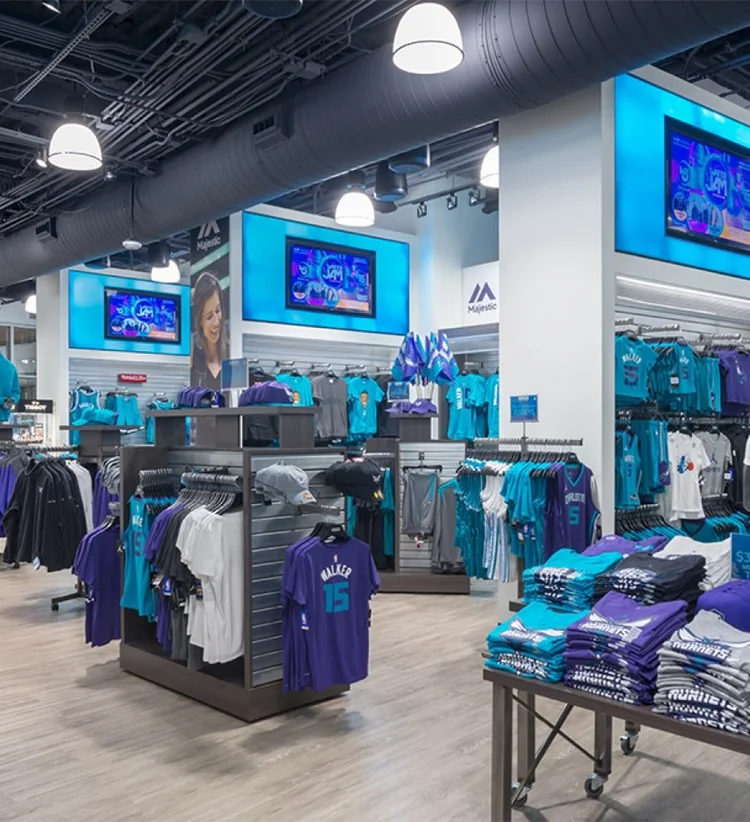
Charlotte Hornets
The Charlotte Hornets leverage existing cameras to measure real-time KPIs including entrance throughput, concessions queue analytics, and arena heatmapping to drive higher revenue without adding staff.
Read Charlotte Hornets Case Study →
Calgary Flames
The Calgary Flames measure and optimize real-time KPIs including entrance throughput, concessions queue analytics, and footfall heatmapping throughout the arena.
Read Calgary Flames Case Study →See exactly what your cameras can do.
Evaluate Safari AI on your existing camera infrastructure for 30 days. No credit card, no commitment.
30-day free pilot · No credit card required · Uses your existing cameras · Video processed on-premise
Frequently Asked Questions
How accurate is Safari AI's footfall counting?
Safari AI delivers 99%+ accuracy on pedestrian and footfall counts across indoor and outdoor environments. Accuracy is validated against manual ground-truth counts during deployment. If a camera view underperforms, we retune the model to your specific environment before you go live, at no additional cost.
Do I need to replace my cameras to use Safari AI?
No. Safari AI works with the CCTV and IP cameras you already have. No rip-and-replace, no construction, no re-wiring. An on-premise server is installed to process video locally; your existing camera infrastructure stays exactly as it is.
How long does Safari AI deployment take?
Most customers are live within days to a few weeks. After a camera compatibility review, we install the on-prem server, connect camera feeds, calibrate the models, and validate accuracy against your baselines before going live.
Can Safari AI handle high-density crowds?
Yes. Safari AI is built for high-density venues — theme parks, NBA and NHL arenas, outlet centers, and stadium concourses. Models handle occlusion, overlapping visitors, and non-linear movement that defeats traditional beam-break sensors. Clients include LEGOLAND, Charlotte Hornets, and Calgary Flames.
Can Safari AI integrate with Tableau, Power BI, Snowflake, or our POS?
Yes. Footfall counts and analytics are available via live dashboards, scheduled exports, and a REST API. You can pipe data into Tableau, Power BI, Snowflake, your POS, or any internal system. Most customers run Safari AI alongside existing BI and RevOps workflows.
How does Safari AI pricing work?
Pricing is per-camera and scales with the number of cameras, sites, and measurement types. Pedestrian counts, occupancy, dwell time, queue wait time, and more can be layered on the same feeds. A free 30-day pilot with no credit card required is available so you can validate accuracy and ROI before committing.